How to Market an iOS App: ASO, Apple Ads and a Starting Budget
Shipping the app is the part developers are good at. Getting anyone to find it is the part most of us guess at. This guide is the order I'd market a new iOS app in, on an indie budget: fix the App Store page so the traffic you get actually converts, collect ratings without annoying people, tag every link so you know what worked, and only then pay for installs with Apple Ads. For that last step, it includes the target CPA and daily budget I'd start with, and why.
The short version
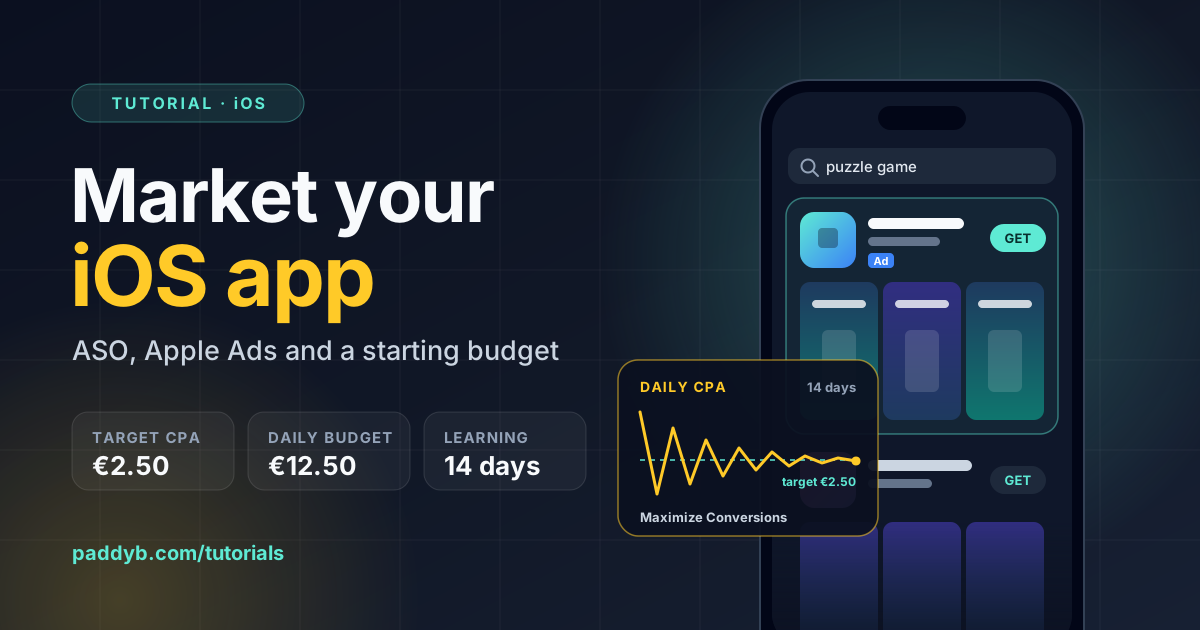
Every paid tap lands on your product page, so fix that first: a name and subtitle that say what the app does, a keyword field with no wasted bytes, and screenshots that make sense without the description. Ask for ratings after a win, not on launch. Generate a campaign link for every place you share the app. Then create an Apple Ads Maximize Conversions campaign at a €2.50 target CPA with a €12.50 daily budget, and don't touch it for two weeks.
Apple Ads is Apple Search Ads, renamed
Apple renamed Search Ads to Apple Ads in 2025. Older guides, forum posts, and some App Store Connect links still use the old name. Everything here refers to the Apple Ads campaigns that run on the App Store, checked against Apple's documentation on 26 September 2026.
The order that matters
Most of the money wasted on app marketing is spent in the wrong order: buying traffic for a product page that doesn't convert, or running three channels at once with no way to tell which one worked. This is the sequence I'd follow:
| Step | Why it comes here | Cost |
|---|---|---|
| 1. Product page | Every other channel sends people here. A weak page makes every later step more expensive. | Time |
| 2. Ratings | An app with no ratings looks abandoned next to one with fifty. The prompt is limited, so wire it up early. | An hour of code |
| 3. Campaign links | Without them, a Reddit post, a newsletter, and your own website all show up as one number. | Free |
| 4. Apple Ads | Paid search on the App Store reaches people at the moment they're looking for an app like yours. | From about €380/month |
| 5. Test and tailor | Custom product pages and A/B tests need traffic to mean anything, which you now have. | Time |
Fix the product page before you pay for traffic
App Store optimization, or ASO, is mostly about four fields and a handful of images. Apple's App Store Connect reference sets the limits.
Name and subtitle: 30 characters each
Apple says search ranking starts with text matches on your app name, subtitle, keywords, and primary category, then factors in behaviour like downloads and ratings. The description isn't on that list. Name and subtitle also appear in search results, so they have to work for people and for search at once. The name should be your brand plus, if it fits, the one phrase people would actually type. The subtitle says what the app does in plain words, not a slogan. "Track spending in seconds" earns its place; "Your money, your way" doesn't tell anyone anything.
Keyword field: 100 bytes, not 100 characters
The keyword field is invisible to customers and exists purely for search. Apple's rules are short: keywords must be longer than two characters, you get 100 bytes per localization, other apps' and companies' names aren't allowed, and your app is already searchable by its name and company name, so repeating those wastes space. Apple's search guidance goes further: don't repeat words from your subtitle or category either, and skip plurals of words you already have, because they count as duplicates. For an app in the Finance category called "Pocket Budget", with the subtitle above:
Name:      Pocket Budget
Subtitle:  Track spending in seconds
Keywords:  money,expense,savings,bills,rent,planner,receipt,monthly,wallet,cash,income,debt,salary,split
That keyword line is 93 bytes. Commas with no spaces, no "finance" because the category already covers it, and nothing from the name or subtitle. The limit is in bytes because localized keywords matter: an accented character like "é" costs two bytes, so a French or Spanish keyword list fits fewer words than an English one.
Screenshots do the selling
In search results, people see your icon, name, subtitle, rating, and the first screenshots, and plenty of people decide from that alone. So the first screenshot is effectively your ad creative: one clear benefit, large caption text, and the app's best screen behind it. Treat screenshots two and three as the next two reasons to download, not a tour of the settings screen.
Promotional text: 170 characters you can change any time
Promotional text sits above the description and, unlike almost everything else on the page, can be updated without a new submission. Use it for whatever is current: a new level pack, a seasonal feature, a price change. Apple says promotional text doesn't affect search ranking, so write it for people, not keywords.
Custom product pages and A/B tests
Once you have traffic, you can stop showing everyone the same page.
Custom product pages are extra versions of your product page with different screenshots, app previews, and promotional text. Apple allows up to 70 of them, each with its own URL. Three things make them worth the effort:
- They can rank in organic search. Assign keywords to a custom page in App Store Connect and it replaces your default page in results for those keywords. Each keyword combination can belong to only one page.
- Apple Ads can use them. A search results ad variation can point at a custom page, so someone searching "budget for couples" lands on screenshots about shared budgets.
- They can deep link. On iOS 18 and later, opening the app from a custom page can take people straight to the feature it advertised.
Product page optimization is Apple's built-in A/B test. You test up to three treatments of your icon, screenshots, or app previews against the original, one test at a time, for up to 90 days. Screenshot-only tests can be submitted without a new app version; alternate icons have to ship in the binary first. Change one thing per treatment, or you won't know what moved the number.
Small apps take a long time to reach a result
App Store Connect estimates how many impressions a test needs for 90% confidence. A page with a few hundred impressions a day may not get there in 90 days with three treatments. Test one treatment against the original, give it a large share of traffic, and test big differences, not two shades of blue.
Ask for ratings at the right moment
The system rating prompt is the only way most people will ever rate your app, and it is rationed. StoreKit shows it a maximum of three times in a 365-day period to someone who hasn't rated the app on that device. You can call it as often as you like; iOS decides whether anything appears. So the question isn't how to show it, it's when. It's worth getting right: Apple lists ratings and reviews among the things that can influence how an app ranks in search.
Ask right after something went well: a level finished, a budget balanced, a document exported. Never on first launch, never from a button, and never in the middle of a task. In an Expo app, expo-store-review wraps the StoreKit call:
npx expo install expo-store-review @react-native-async-storage/async-storage// lib/review.ts
import AsyncStorage from "@react-native-async-storage/async-storage";
import * as StoreReview from "expo-store-review";
const WINS_KEY = "review:wins";
const ASK_AT = new Set([3, 15, 60]);
// Call after a completed, positive action, e.g. finishing a level.
export async function recordWinAndMaybeAskForReview() {
const wins = Number((await AsyncStorage.getItem(WINS_KEY)) ?? "0") + 1;
await AsyncStorage.setItem(WINS_KEY, String(wins));
if (!ASK_AT.has(wins)) return;
// false on TestFlight builds, so this is a no-op until you ship
if (!(await StoreReview.isAvailableAsync())) return;
await StoreReview.requestReview();
}The spaced thresholds matter. Asking after the third win catches people while they're enjoying it; the later asks reach the people who stuck around, who tend to leave the better reviews. Three asks also lines up with Apple's yearly cap, so you're not spending your allowance on people who will never see it.
For a "Rate this app" row in settings, don't use the prompt. Link to the review page directly, which always works:
import { Linking } from "react-native";

const APP_STORE_ID = "1234567890"; // the number after "id" in your App Store URL

export function openWriteReview() {
  return Linking.openURL(
    `https://apps.apple.com/app/id${APP_STORE_ID}?action=write-review`
  );
}
Reply to reviews
Replies show publicly under the review, and the reviewer is notified and can update their review. A short, specific answer to a one-star review about a bug you've since fixed is some of the cheapest marketing there is.
Track every link you share
App Store Connect can generate campaign links that attribute product page views, downloads, and later sales to the place the link was shared. Go to Analytics, then Acquisition, then Campaigns, and add one per channel:
https://apps.apple.com/app/apple-store/id1234567890?pt=123456&ct=reddit-launch&mt=8
https://apps.apple.com/app/apple-store/id1234567890?pt=123456&ct=newsletter-oct&mt=8
https://apps.apple.com/app/apple-store/id1234567890?pt=123456&ct=website&mt=8
ct is the campaign token, up to 30 characters, and it's the only part you change. pt is your provider token: it identifies your developer account, not an ad network, and it's the same on every link. A first-time download counts toward a campaign if it happens within 24 hours of the link being used, and the most recent link gets the credit.
You can't create one on launch day
The Campaigns tab and its add button only appear once your app has analytics data, which means it has to be live and downloaded for at least a day. A campaign's numbers then only show once they reach five, such as five first-time downloads. Plan your launch posts for day two, or accept that launch-day traffic will be unattributed.
If your app has a website, add a Smart App Banner so iPhone visitors get a native install bar at the top of Safari. It's one tag in the <head>; the Jump Lad page on this site carries one:
<meta name="apple-itunes-app" content="app-id=1234567890">In-App Events: free App Store placement
In-App Events are timely things happening inside your app: a challenge, a new season, a live session. They get their own cards on your product page and in search, and Apple's editors can feature them. An event can run for up to 31 days and be promoted up to 14 days before it starts; you can have up to 10 published at once, and they're reviewed separately from app updates.
They suit games and content apps best, but the bar is lower than it sounds. A weekly leaderboard reset or a new batch of content counts. The event name gets 30 characters and should be the actual name of the event, not a call to action.
How Apple Ads target CPA works
Apple Ads shows your app in App Store search results, usually at the top, and in other placements like the Today tab, the Search tab, and product pages. For a new app, search results is where to start: people there are already looking for something.
There are two ways to run it. Apple Ads Basic asks for a monthly budget and a maximum cost per install, creates the ad for you, and gives you very little to tune. Apple Ads Advanced gives you campaigns, keywords, search term reports, and the Maximize Conversions strategy, which is what this section is about. If you're on Basic, Apple's advice is to pause it and set up an Advanced account.
With Maximize Conversions, you don't bid on keywords. You set a target CPA (cost per acquisition), and Apple defines it as the ideal amount you want to spend per install. An auto-bidder then uses Search Match to find relevant search terms and sets a bid for each query, bidding higher on queries likely to convert and lower on the rest, aiming to average your target over the week. Three details are easy to miss:
- You still pay per tap, not per install. The target is what your spend divided by your installs should average out to. It isn't a price.
- Individual days will miss. Apple says daily costs may be above or below the target. Judging a Maximize Conversions campaign on its first three days tells you nothing.
- It's for apps that are already live. Maximize Conversions is designed for post-launch campaigns. For a pre-order, Apple recommends manual bids.
Target CPA is replacing CPA caps
If you've used Apple Ads before, you may know the CPA cap, which stopped any single bid from exceeding a set amount. That's a ceiling on every query, so you lose the valuable ones. Target CPA is an average, so the bid can go over it where a search is worth more. Apple has said CPA caps will soon be unavailable.
What target CPA and daily budget to start with
Apple gives two pieces of guidance that set the whole budget. Give the campaign a daily budget that allows for at least five conversions a day, and let it run for at least two weeks before judging it. Five conversions a day means your daily budget is five times your target CPA, at minimum. With that rule, this is how I'd pick:
| Target CPA | Daily budget | Monthly cap | My view |
|---|---|---|---|
| €1.50 | €7.50+ | €228 | Very efficient, but may restrict delivery |
| €2.00 | €10+ | €304 | Good conservative starting point |
| €2.50 | €12.50+ | €380 | I'd start here |
| €3.00 | €15+ | €456 | More aggressive acquisition |
| €4.00+ | €20+ | €608 | Probably too expensive initially |
The monthly cap column is the daily budget times 30.4. Apple treats your daily budget as an average across the month: your monthly spend won't exceed the daily budget times 30.4, but a single day with more opportunity can spend more than the daily figure. Budget for the monthly number, not the daily one.
Why €2.50
The target isn't just a cost; it's how competitive your bids are allowed to be. Set it too low and the auto-bidder can only win cheap, low-intent searches, or it can't spend the budget at all, and you learn very little in your two weeks. At €1.50, that's the risk. At €4.00 and above, you're paying a premium for installs before you know whether an install is worth that much to you. €2.50 is high enough for the campaign to actually deliver and gather data, and low enough that two weeks of learning costs about €175, which is a reasonable price for finding out whether paid search works for your app at all.
€2.00 is a sensible alternative if the budget is tight or your category is cheap. Apple also suggests a target CPA when you create the campaign. Treat that as a data point, not an instruction: it reflects your category, not what your installs are worth.
Other currencies and markets
These figures are in euros because that's what my account bills in. What carries over is the ratio, a daily budget of at least five times the target, and the logic of starting in the middle. Install costs vary a lot by country and category, so if you're advertising in the US or in a crowded category like finance or fitness, expect to start higher.
Set up the campaign
You need an app that's live on the App Store and an Apple Ads Advanced account signed in with the Apple Account linked to App Store Connect. Using that account also lets you target users of your other apps later.
1. Create a search results campaign
From the Campaigns dashboard, click Create Campaign, choose your app, choose Search results, and pick the countries or regions. Start with one market or a few similar ones. In some countries, including Brazil, your product page has to be translated into the local language before your campaign can run there.
2. Choose Maximize Conversions
Pick Maximize Conversions as the bid strategy rather than Manage Bids. Name the campaign after its theme and market, for example Discovery - IE, so it still makes sense when you have five of them.
3. Set the budget and target
Daily budget:  €12.50
Target CPA:    €2.50
Start:         today
End date:      none (it stops only when you pause it)
A campaign with no end date keeps spending every month until you pause or remove it. That's what you want, but put a reminder in your calendar for day 14 anyway.
4. Let the ad group build itself
A Maximize Conversions campaign creates its ad group automatically with Search Match on, which is how it finds search terms without a keyword list. Leave audience settings at their defaults for now. Every restriction narrows the auction and slows the learning.
5. Pick the ad
The default ad is built from your product page. If you've made a custom product page for a specific audience, you can create an ad variation from it. For a first campaign, the default ad is fine, and it keeps one variable fixed while you learn what the campaign does.
Campaigns start as soon as a payment method is added
If you create the campaign before adding a payment method, it starts running the moment you add one. Set the campaign status to Paused during creation if you're not ready, then switch it to Running when you are.
Reading the results after two weeks
Don't make changes before day 14. After that, look at four numbers in the campaign report: spend, installs, Average CPA (Tap-Through), and CR (Tap-Through), the share of taps that became installs. Then:
| What you see | What it usually means | What I'd change |
|---|---|---|
| CPA near target, budget fully spent | It's working, and budget is the limit | Raise the daily budget in steps. Keep the target. |
| CPA near target, budget underspent | The target is too low to win enough searches | Raise the target by €0.50 and keep the budget at five times it. |
| CPA well above target | People tap the ad but don't install | Check CR (Tap-Through) and the search terms report before touching the target. Usually it's the product page. |
| CPA below target, lots of installs | You found cheap, relevant searches | Leave it alone. Check the installed users actually stick around. |
Change one thing at a time, and give each change another week or two. Changing the target and the budget and the ad on the same day makes the next two weeks unreadable.
Installs include redownloads
Apple Ads counts new downloads and redownloads as installs. Someone who deleted your app and reinstalls it after tapping your ad counts toward your CPA. Add the New Downloads (Tap-Through) column and work out spend divided by that as well. If it's much higher than the Average CPA, part of your budget is buying back people you already had.
Apple's Recommendations page updates daily with budget and bid suggestions, each with estimated installs, spend, and average CPA. They're worth reading, but they're aimed at growing volume. Filter them by estimated average CPA, which Apple's own guidance suggests, and apply the ones that fit your target rather than all of them.
Is a €2.50 install worth it?
A campaign that hits its target CPA can still lose money. Whether €2.50 is a good price depends on what an average new user is worth to you, and for most indie apps that's lower than people hope. The rough calculation:
value per install = share of new users who pay × average proceeds per paying user

e.g.  4% pay  ×  €45 proceeds each  =  €1.80 per install
With those numbers, a €2.50 install loses €0.70 on direct revenue. Those are example figures; App Store Connect Analytics gives you the real ones, including average proceeds per paying user, and if you use subscriptions, RevenueCat gives you trial conversion and renewal rates to go with them.
A loss per install isn't automatically a reason to stop. Paid installs bring ratings, organic ranking, and word of mouth that the formula doesn't count, and for a new app, two weeks of Apple Ads is also a cheap way to find out which search terms people use to find apps like yours. Those terms belong in your keyword field whether you keep paying or not. But if the value per install is a fraction of the CPA, raising the target won't fix it. The product, the price, or the paywall is the next thing to work on.
iOS app marketing checklist
- Name and subtitle describe what the app does, in 30 characters each
- Keyword field uses close to 100 bytes, with no spaces and no words from the name, subtitle, category, or company name
- First screenshot works as an ad on its own
- Promotional text says what's new right now
- Rating prompt fires after a positive action, never on launch or from a button
- Settings has a "Rate this app" link to
?action=write-review - A campaign link exists for every channel you post in
- Your website has a Smart App Banner
- Apple Ads Advanced campaign on Maximize Conversions, €2.50 target, €12.50 a day
- Calendar reminder set for day 14, and no changes before it
- Cost per new download checked, not just Average CPA
- Value per install worked out from App Store Connect Analytics
- Winning search terms from Apple Ads copied into the keyword field
iOS app marketing FAQ
What target CPA should I start with on Apple Ads?
For a new app in a euro market, I'd start at a €2.50 target CPA with a €12.50 daily budget. €2.00 is a reasonable conservative start, €1.50 is efficient but may restrict delivery, and €4.00 or more is probably too expensive before you know what an install is worth.
How much daily budget does Maximize Conversions need?
Apple recommends enough for at least five conversions a day, so multiply your target CPA by five. A €2.50 target needs at least €12.50 a day. Monthly spend won't exceed the daily budget times 30.4, although individual days can go over.
How long should an Apple Ads campaign run before I judge it?
At least two weeks. Apple says the system needs that long to learn and meet the target on average. Daily cost per install will swing above and below the target in the meantime.
Do I pay my target CPA for every install?
No. Search results ads charge per tap. The target CPA is what the auto-bidder aims to average over the week, bidding more on valuable queries and less on others.
Should a new app use Apple Ads Basic or Advanced?
Basic is simpler: a monthly budget, a maximum cost per install, and an ad built for you. Target CPA and Maximize Conversions are Advanced features, and Advanced also gives you search term reports, custom product page ad variations, and other placements. For the settings in this guide, use Advanced.
How long is the App Store keyword field?
Up to 100 bytes per localization. Don't repeat words from your app name, subtitle, category, or company name, separate keywords with commas and no spaces, and remember accented characters take more than one byte.
How often can an iOS app ask for a rating?
The system shows the rating prompt at most three times in a 365-day period for someone who hasn't rated the app on that device. Your code can call it more often, but iOS decides whether it appears.
Can custom product pages appear in organic App Store search?
Yes. Assign keywords to a custom product page in App Store Connect and it appears in search results for those keywords instead of your default page. Each keyword combination can belong to only one page.
Related guides
- Add RevenueCat to an Expo app, to measure what an install is actually worth
- EAS Build and Submit checklist for Expo React Native, for getting the app onto the store in the first place
- Expo push notifications setup, for bringing people back once they've installed
- Expo SDK 58 upgrade guide, for building against iOS 27
Need an app built and shipped? I take on contract Expo and React Native work — see how I can help.